Custom tables and furniture sets
Design an unusual table shape or save several positioned tables and chairs as one reusable seating destination.
On this page
Custom table or furniture set?
| Item | Use it for |
|---|---|
| Custom table | One polygon-shaped tabletop with editable vertices, side lengths, and angles. |
| Furniture set | Several existing tables and their chairs saved with exact positions and rotations. |
| Room layout | The complete room: all tables, sets, chairs, walls, and their positions. |
Design a custom table
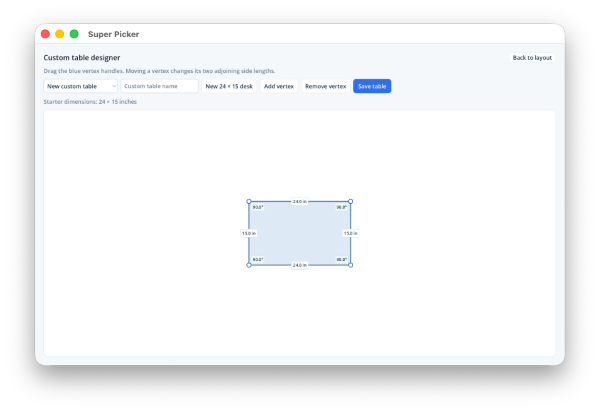
- Open Room Layout → Tables and select Design table.
- Begin with the 24 by 15 inch desk or add/remove vertices.
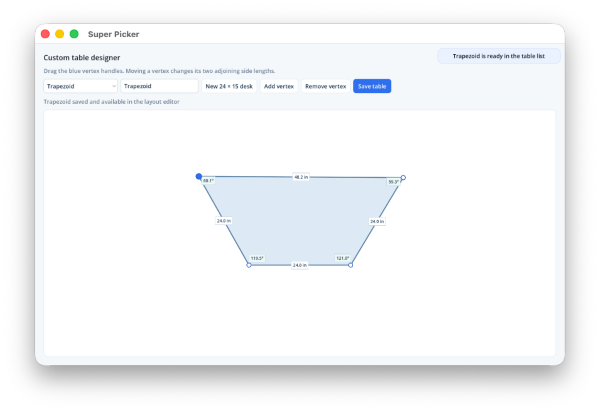
- Drag a blue vertex handle. Side lengths and angles update around the polygon.
- Enter a descriptive name and select Save table.
- Select Back to layout. The shape becomes available for any class and room.
Save a furniture set
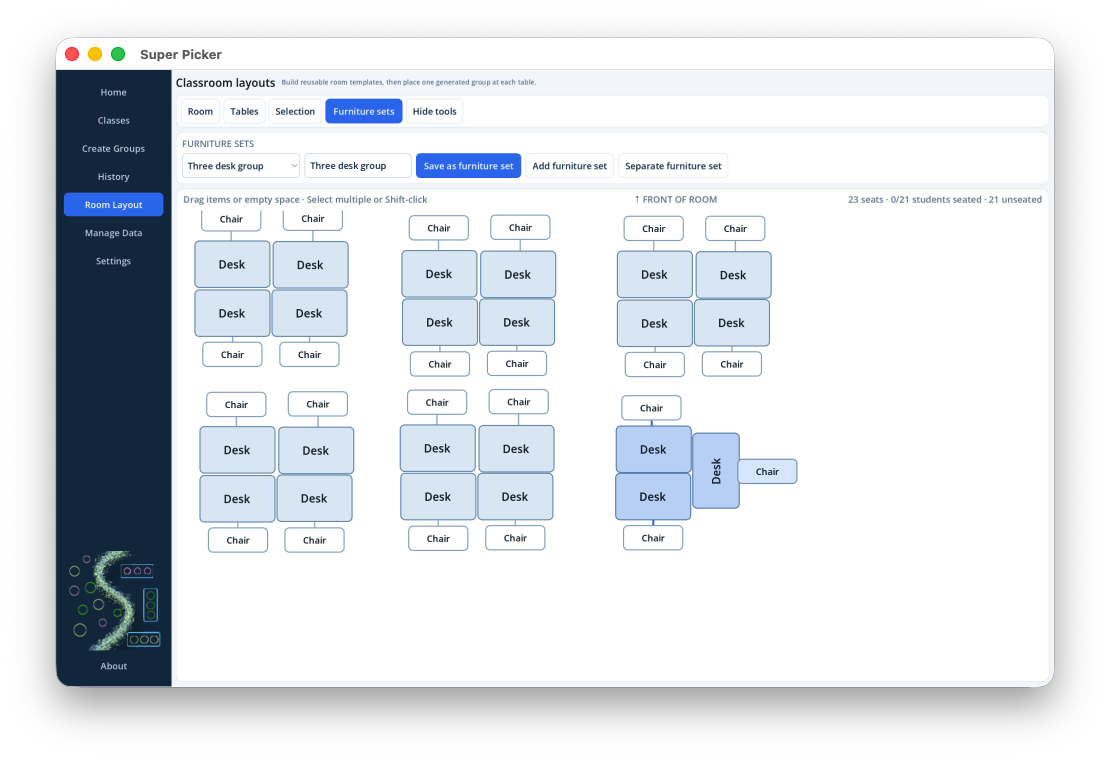
- Place and rotate the tables exactly as they should fit together.
- Position their associated chairs.
- Shift-click each table or turn on Select multiple and click them.
- Open Furniture sets.
- Enter a name and select Save as furniture set.
The saved set includes table and chair positions, rotations, dimensions, and combined seating capacity.
Add or separate a saved set
Choose a saved item in Furniture sets and select Add furniture set. Drag any table in the set to move the arrangement together. Select a member and choose Separate furniture set when the tables should move independently again.
How student groups use furniture sets
A furniture set acts as one seating destination. Its capacity is the total number of associated chairs across all member tables. For example, two one-chair desks saved together accept one two-student group—not two students at each desk.
One destination, several physical tables.The on-canvas group label represents the student group assigned to the complete set.