Settings and accessibility
Choose an application-wide color palette, increase text size, and control automatic group-history cleanup.
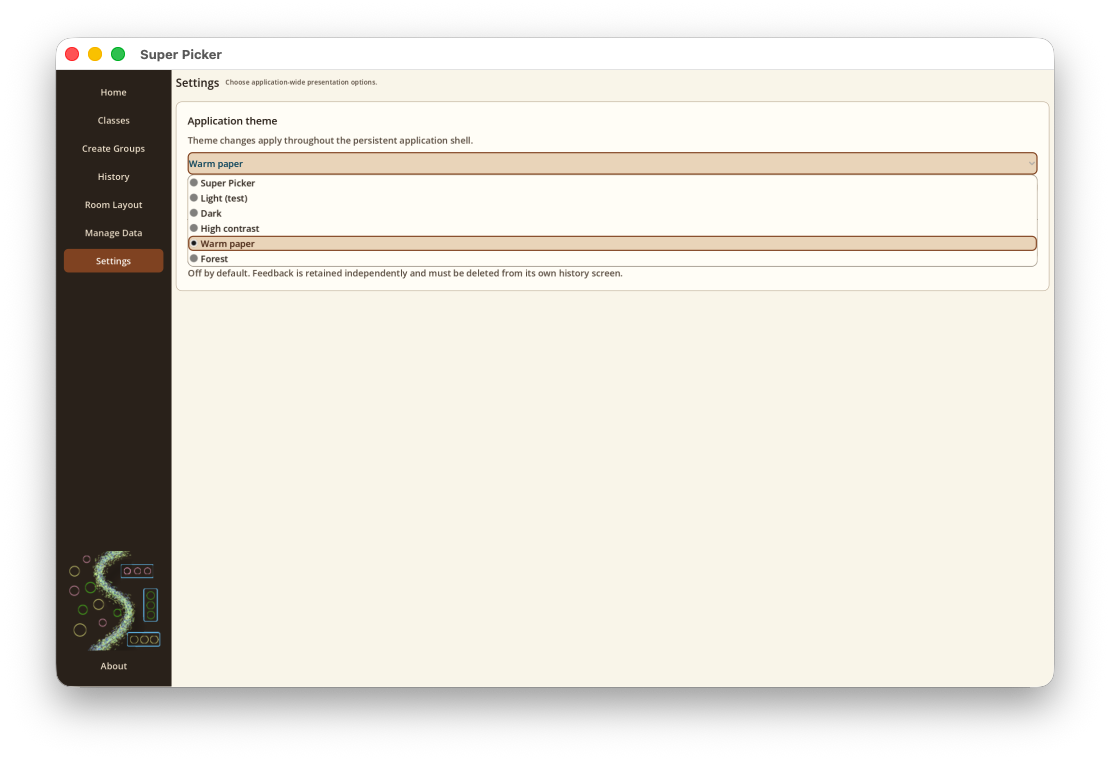
Choose an application theme
Open Settings and choose Super Picker, Light, Dark, High contrast, Warm paper, or Forest. The selection applies throughout the app, including menus, dialogs, file pickers, and newly opened screens.
Use Large Text
Turn on Large Text independently of the selected color theme. Text grows throughout the persistent app shell and dialogs. Some dense screens may require more scrolling.
Automatically remove old group sessions
Turn on Automatically delete group sessions older than 30 days to limit saved grouping history. It is off by default.
Find the installed version
Select About at the bottom of the sidebar. The dismissible panel shows the current application version and reserves space for future copyright and credit information.
Improve readability on a projector
- Maximize the window before generating groups.
- Turn on Large Text.
- Try High contrast or Light, depending on the projector.
- Allow the group cards and layout canvas to resize after the window stops changing.
Group cards and room-layout objects scale with available space. Layout resizing is briefly delayed to keep macOS rendering stable during live window changes.