Group history and feedback
Reload previous groups, record how a group worked, and review observations attached to any student.
On this page
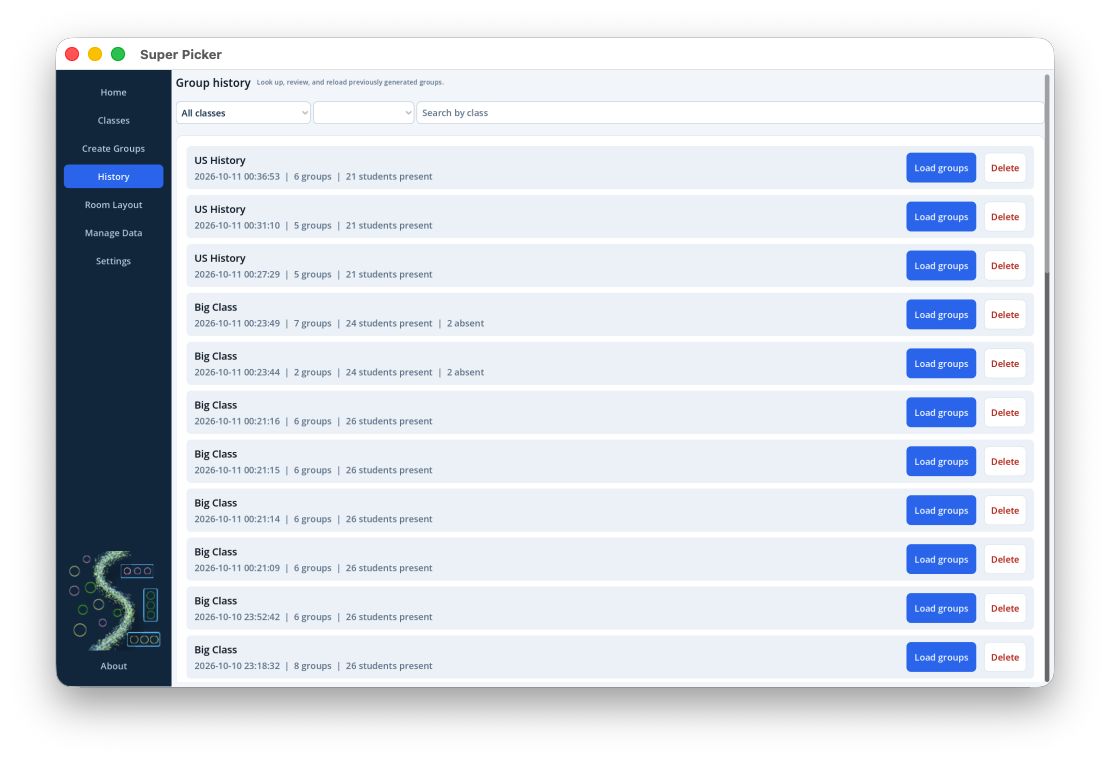
Browse and reload group history
- Select History.
- Choose a class or leave the class filter open to all classes.
- Filter by Any date, Today, or Past 7 days; optionally search by class name.
- Select Load groups on a session to return it to Create Groups.
Delete group sessions
Select Delete on a History row and confirm. In Settings, you may enable automatic deletion of sessions older than 30 days.
Feedback is retained.Deleting a group session, manually or automatically, does not delete ratings, preferences, or comments. Delete feedback from its own history screen.
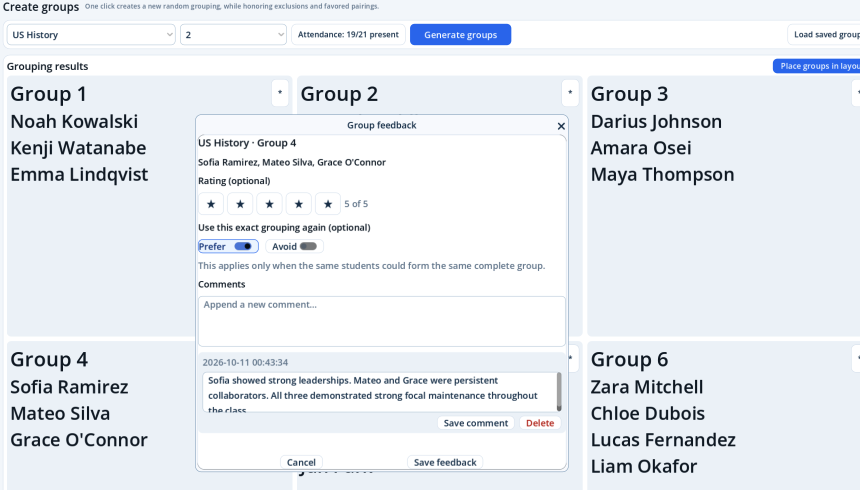
Add or change group feedback
- On an active group card, select the *.
- Optionally choose a star rating.
- Turn on either Prefer or Avoid to influence this exact complete grouping in future generations.
- Enter a new comment at the top of the Comments section.
- Select Save feedback.
The preference applies only when those same students could form the same complete group. It does not create pairwise restrictions between every member.
Edit or delete comments
Open the feedback again or enter through a student's History button. Existing dated comments appear below the new-comment field. Edit a comment in place or delete it individually. Saving preserves the other comments and feedback fields.
Review feedback by student, class, or all records
- Open Classes and select History on a student row.
- Use the scope menu: This student, This class, or All feedback.
- Select a dated record to review its group, rating, preference, and comments.
- Select Export CSV to export the currently visible scope.